
Annexure
Within the release cycle, once development is complete on Monday, we proceed with the deployment process. Depending on the branching setup, we have two main scripts for code deployment to the DEV environment: one for the release branch and one for the develop branch.
Instances & environments
| Instance | DEV | LIVE (beta slot) | LIVE (live slot) | LIVE (pre-beta slot) |
|---|---|---|---|---|
| Core Platform | Y | Y | Y | NA |
| UKS (FFX) | Y | Y | Y | NA |
| Damensch | Y | Y | Y | NA |
| TFS | Y | Y | Y | Y |
Repository and Branch
Here is the matrix detailing which repositories deploy through which branches:
| Module | Repository | Branch | Build Pipelines |
|---|---|---|---|
| CH/API | OmniCX | develop | |
| CH/API | OmniCX | release |
| Module | Repository | Branch |
|---|---|---|
| CH/API | OmniCX | develop |
| CH/API | OmniCX | release |
| BetterPIM | PIM | Release |
| BetterPIM | PIM.API | Release |
| BetterPIM | ProductEditor | Release |
| BackendModules | OMS | Develop |
| MicroServices | AuthenticationAPI | Develop |
| Channels | Channels | Develop |
| BetterCMS | CMS.UI | Develop |
| BetterCMS | CMS.API | Develop |
| MicroServices | DeliveribilityAPI | Develop |
| Microservices | EmailService | Develop |
| MicroServices | IntegrationAPI | Develop |
| BackendAPI | Omnicx.Management.API | Develop |
| MicroServices | ReviewsAPI | Develop |
| MicroServices | WebhookAPI | Develop |
| BetterPIM | PIM.Editor | Develop |
| FFX | FFX ADMIN | Develop |
| FFX | FFX API | Develop |
| BetterEngage | node-event-service | Develop |
| ReportingDashboard | ReportingDashboards | Develop |
| CustomerStores | betterstorefront | Develop |
| CustomerStores | Fabsales | Develop |
| CustomerStores | AKC | Develop |
| CustomerStores | betterstorefront | Develop |
Scripts
In our deployment process, we utilize two distinct scripts for managing code deployment to both DEV and BETA environments. The choice of script depends on whether the repository's trigger branch is set for release or develop.
Deployment Scripts Overview
-
Script 1: Release Branch Deployment
- Used when the repository's trigger is set to deploy from the release branch.
- This script follows a sequence: DEV → BETA → LIVE.
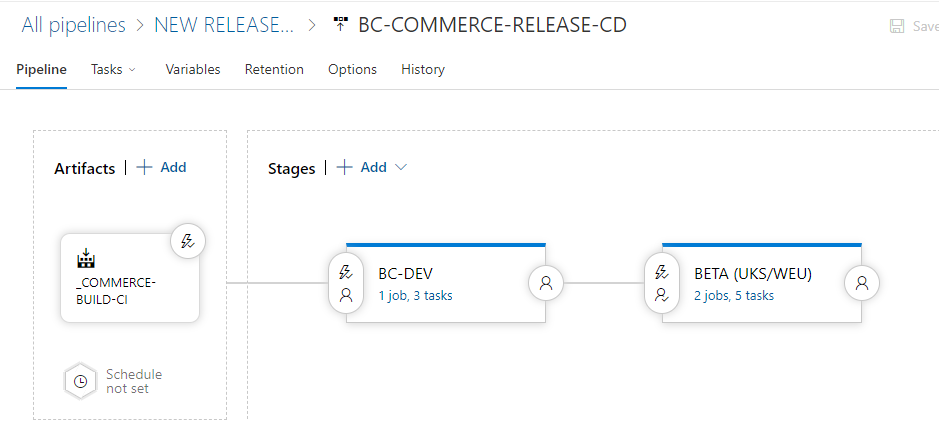
- It ensures that code is first deployed to DEV, then BETA, and finally swapped to LIVE once validated.
-
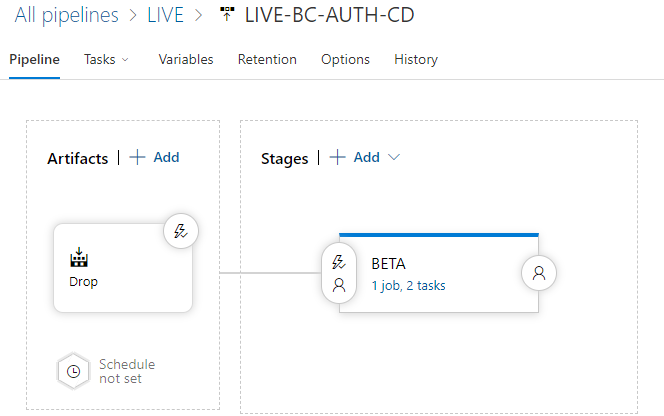
Script 2: Beta Deployment
- Used for repositories where the trigger is set to deploy from the develop branch.
- This script creates a release staging branch from develop and deploys to BETA .
Script Details
Script 1: Release Branch Deployment
-
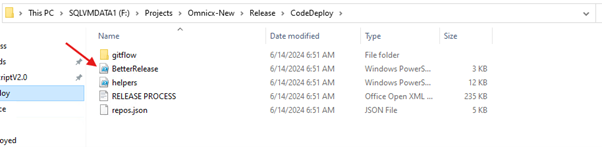
Script Location:
F:\Projects\Omnicx-New\Release\CodeDeploy -
Repository Access: The release script is available in the Release Script Repository. Only authorized personnel can access and execute the script.
-
Steps to Execute the Script:
- RDP to the remote server.
- Execute the script through PowerShell.
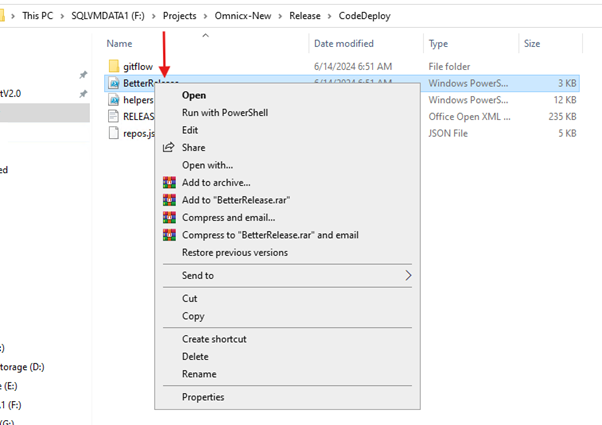
- Enter
1to create a release branch for deployment.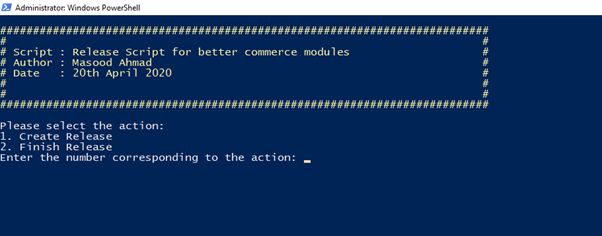
- Follow prompts to name the release branch automatically or manually.
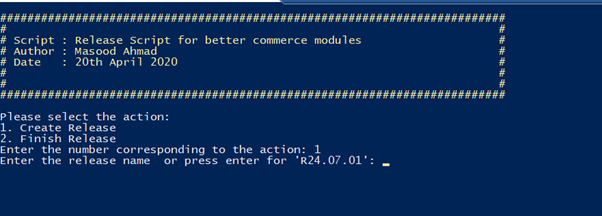
Script 2: Develop Branch Deployment
-
Script Location:
F:\Projects\ReleaseScriptV2.0 -
Steps to Execute the Script:
- Launch the release script from the folder:
F:\Projects\ReleaseScriptV2.0. - RDP to the remote server.
- Execute the script using PowerShell.
- Use the command
band pressTabto execute.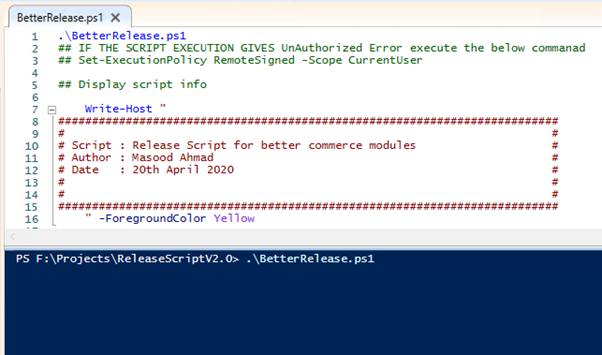
- Confirm deployments by typing
Yand pressingEnteragainst the repositories.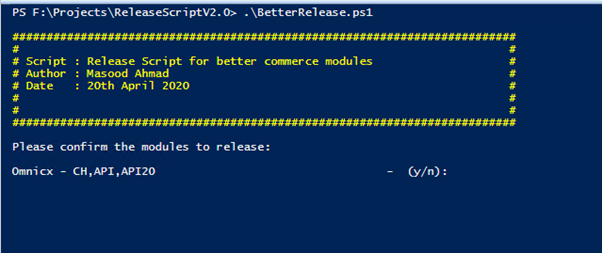
- Launch the release script from the folder:
Verification Steps
After triggering deployments, verify the following to ensure successful deployment:
- Confirm pipelines are triggered for respective repositories.
- Verify deployments are listed in the release records.
- Review release job logs to confirm deployment success.
This structured approach ensures efficient and controlled deployment of code changes across DEV and BETA environments, maintaining high standards of reliability and quality.